8 Best Electric Toothbrushes With a Pressure Sensor (October 2026)
The best electric toothbrushes with pressure sensors include the Sonicare 5950 for adjustable pressure, the Oral-B Pro 1000 for automatic response, and the Oral-B iO5 Customizable Clean for app guidance.
On this page (7 sections)
- How we chose the best electric toothbrushes with pressure sensors
- The best electric toothbrushes with pressure sensors
- Which pressure sensor style fits your brushing routine?
- How do you choose the best electric toothbrush with a pressure sensor?
- How should you set up and use a pressure-sensor toothbrush?
- What mistakes should you avoid with a pressure-sensor toothbrush?
- Which electric toothbrush with a pressure sensor should you choose?
The Sonicare 5950 is the best electric toothbrush with a pressure sensor for most adults who want a tactile warning, adjustable intensity and a travel case. Choose the Oral-B Pro 1000 if you'd rather the brush itself respond when you press too hard.
Pressure sensors serve a simple purpose: they help you notice when you're pushing too firmly against your teeth or gums. The best fit depends on how you want that reminder delivered, how much guidance you need, and whether you'll use extras such as an app or travel case.
The Sonicare 5950 suits a routine that needs a clear, feelable cue and more than one intensity. The Oral-B Pro 1000 is a strong choice for an automatic response, while the Oral-B iO5 is for people who want pressure guidance paired with app tracking.
If you want more options across charging styles, see our best rechargeable electric toothbrushes. For a handle and routine that may better suit older adults, compare the picks in our guide to electric toothbrushes for seniors.
Our picks at a glance
-
1

-
2

-
3
How we chose the best electric toothbrushes with pressure sensors
The best electric toothbrush with a pressure sensor should make its warning clear and fit a routine you can keep using. We compared the feedback type, pressure response, settings, timing, charging details and included travel items.
A visual light suits someone who wants to see a warning on the handle. A haptic pulse gives a physical reminder, while a model that changes its action can respond without requiring you to interpret a separate signal.
We also considered whether the brush adds practical support around the sensor. Timers can help you spend time across the full mouth, modes and intensity levels offer options for different preferences, and app features may suit people who want guided brushing.
These picks cover distinct needs rather than treating every pressure sensor as interchangeable. If real-time tracking is a priority, compare them with our guide to smart electric toothbrushes that work with an app.
| Product | Best for | Pressure feedback | Brushing settings | Battery | Our score |
|---|---|---|---|---|---|
| Sonicare 5950 | adjustable pressure | Haptic pulse when you press too hard | 6 settings across Clean and Gum Health modes | Up to 21 days of regular brushing per full charge | 9.0 |
| Oral-B Pro 1000 | automatic response | Stops pulsations when brushing too hard | 8.6 | ||
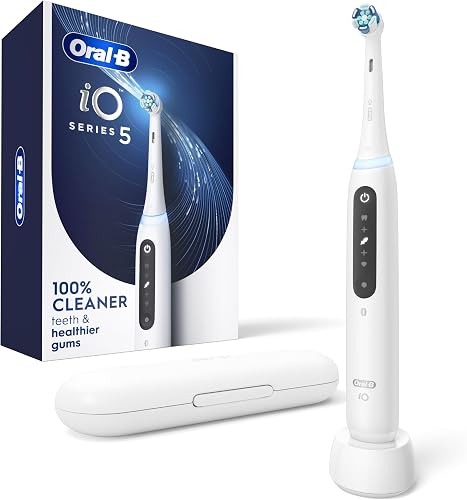
| Oral-B iO5 Customizable Clean | app guidance | Signals too hard, too soft or just right | 8.5 | ||
| Sonicare 6500 | visible feedback | Light ring signals excess pressure | 3 modes with 3 intensity levels | Up to 21 days of regular brushing per full charge | 8.5 |
| Sonicare 4100 | simple routines | Handle pulses when you apply too much pressure | Up to 14 days of regular brushing per full charge | 8.4 | |
| Sonicare 6700 | tender gums | Light ring signals excess pressure | 3 modes with 3 intensity levels | Up to 21 days of brushing per full charge | 8.2 |
| SURI Pro Sonic | fewer charges | Signals when you brush too hard | Over 1 month per charge | 7.9 | |
| Oral-B iO2 | gentle starts | Slows speed and signals red when you press too hard | 7.7 |
The best electric toothbrushes with pressure sensors
The Sonicare 5950 is the lead choice for adjustable feedback and a longer stated charge interval. The other picks are better suited to specific preferences, including automatic pressure response, a visible light, app guidance or a basic haptic cue.
Best electric toothbrush with pressure sensor for adjustable intensity: Sonicare 5950
Sonicare 5950: Best for adjustable pressure
- Haptic alert when you press too hard
- 6 settings across 2 modes and 3 intensity levels
- Up to 21 days of regular brushing per charge
- Travel case included
A haptic pulse warns you to ease up, and 3 intensity levels let you adjust brushing strength. Its travel case and extended battery life suit home and travel routines.
Pros
- Haptic pressure alert
- 3 intensity levels
- Travel case included
Cons
- No visual pressure light
- Only 2 brushing modes
The Sonicare 5950 is the strongest all-around choice for people who want a pressure reminder plus control over brushing intensity. Its gentle haptic pulse when you press too hard gives you a cue to ease up without watching for a light.
It has Clean and Gum Health modes, each with intensity choices that let you adjust the feel of a session. Choose Gum Health when you want that mode, or lower the intensity if a stronger setting doesn't suit you.
BrushPacer prompts you to move to a new area every 20 seconds, and SmartTimer signals when your 2-minute session is complete. It provides up to 21 days of regular brushing per full charge, and the travel case is useful for keeping the handle protected away from home.
Choose it if you want a tactile signal, several intensity options and a timer that moves you through the mouth. Skip it if you need a visual pressure alert or prefer the brush to alter its action automatically.
Best electric toothbrush with pressure sensor for automatic response: Oral-B Pro 1000
Oral-B Pro 1000: Best for automatic response
- Pressure control stops pulsations when brushing too hard
- 3 cleaning modes
- 30-second quadrant timer
- LED charge indicator
Its pressure control automatically stops brush pulsations when you press too hard. The 30-second quadrant timer helps divide a 2-minute session into sections.
Pros
- Automatic response to excess pressure
- 3 cleaning modes
- Zone timer
Cons
- No visual pressure light
- No battery-life duration stated
The Oral-B Pro 1000 suits anyone who wants the brush itself to respond when pressure gets too high. Its pressure control stops pulsations when you brush too hard, so the warning comes with a change in the brush's action.
It has 3 cleaning modes and a handle-integrated timer that alerts you every 30 seconds to move to another zone. Those reminders can help divide brushing into four sections without needing an app.
Choose it for automatic pressure response and a timed routine with straightforward mode choices. Skip it if you want a visual pressure light, adjustable intensity levels or a stated battery-life duration.
Best electric toothbrush with pressure sensor for app guidance: Oral-B iO5
Oral-B iO5 Customizable Clean: Best for app guidance
- Pressure sensor signals too hard, too soft or just right
- 5 cleaning settings
- Oral-B app tracks brushing in real time
- Travel case included
The pressure sensor signals whether you're pressing too hard, too softly or just right. The app tracks how and where you brush in real time.
Pros
- Three pressure signals
- 5 cleaning settings
- Travel case included
Cons
- App connection is part of the feature set
- No battery-life duration stated
The Oral-B iO5 is a good fit for people who want pressure guidance alongside app tracking. Its sensor signals when you're pressing too hard, too softly or just right, giving you feedback about both excess pressure and whether you're brushing lightly.
It has 5 cleaning settings and a light ring timer for a 2-minute session. The Oral-B app tracks how and where you brush in real time, and the included travel case suits a routine that moves between home and travel.
Choose it if you'll use live tracking and want three pressure signals. Skip it if you want to keep a phone out of your brushing routine or need a simpler handle with fewer connected features.
Best electric toothbrush with pressure sensor for visible alerts: Sonicare 6500
Sonicare 6500: Best for visible feedback

- Visual pressure sensor light ring
- 3 modes and 3 intensity levels
- App-guided brushing
- Up to 21 days of regular brushing per full charge
A light ring signals excess pressure, and the brush pairs with an app for guided brushing. It also offers 3 modes with 3 intensity levels.
Pros
- Visual pressure feedback
- App-guided brushing
- Travel case included
Cons
- Power adapter not included
- App features may be unnecessary for a simple routine
The Sonicare 6500 is a good fit if you want to see a pressure warning and use app-guided brushing. Its light ring at the base lets you know when you're pressing too hard, so you can ease off when the alert appears.
Choose Clean, Sensitive or White mode and set one of 3 intensity levels. The app pairs with the toothbrush for guided brushing, tips and content personalized to you.
The BrushPacer prompts you to change areas every 20 seconds, and SmartTimer signals the end of a 2-minute session. It includes a travel case and charging stand, but the power adapter is not included.
Choose this model if a visible warning and app guidance sound useful. Skip it if you want a basic brush without app features or need a complete wall-charging setup in the box.
Best electric toothbrush with pressure sensor for a simple routine: Sonicare 4100
Sonicare 4100: Best for simple routines

- Handle pulses when you apply too much pressure
- EasyStart gradually increases power over 14 uses
- Up to 14 days of regular brushing per full charge
- USB charger included
A slight handle pulse reminds you to ease off, and EasyStart gradually increases brushing power over the first 14 uses. It offers a straightforward pressure alert and routine timer.
Pros
- Haptic pressure reminder
- EasyStart for the first 14 uses
- 2-minute and quadrant timers
Cons
- Only 1 brush head included
- Power adapter not included
The Sonicare 4100 offers a simple haptic reminder with useful pacing features. If you apply too much pressure, the handle pulses slightly to remind you to ease off.
EasyStart gradually increases the brush's power over the first 14 uses, which can make the transition to an electric brush more gradual. SmarTimer tracks a 2-minute session, while QuadPacer helps divide it into 30-second sections.
It provides up to 14 days of regular brushing per full charge. The set includes a USB charger, but not a power adapter, so check whether you have a compatible way to connect it.
Choose it if you want a pressure cue, timers and a simple feature set. Skip it if you want a case, multiple modes or a longer stated charge interval.
Best electric toothbrush with pressure sensor for sensitive settings: Sonicare 6700
Sonicare 6700: Best for tender gums
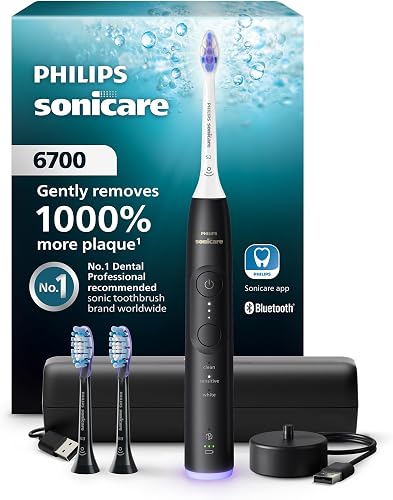
- Visual pressure sensor light ring
- Sensitive mode with 3 intensity levels
- Up to 21 days of brushing per full charge
- Charging travel case included
The visual pressure sensor lights up when you're pressing too hard. Its Sensitive mode and 3 intensity levels give you options for adjusting your brushing routine.
Pros
- Visual pressure warning
- Sensitive mode
- Charging travel case included
Cons
- Power adapter not included
- App is part of its guided care features
The Sonicare 6700 combines a visible pressure alert with a Sensitive mode and several intensity choices. Its light ring alerts you when you're pressing too hard, and you can select Sensitive mode when that setting suits your routine.
Each of its 3 modes has 3 intensity levels. The brush pairs with an app for guided brushing, and its timers prompt a new area every 20 seconds before signaling the end of a 2-minute session.
It provides up to 21 days of brushing on a full charge. A charging travel case is included, while the charging stand does not include a power adapter.
Choose it if you want a visible warning, Sensitive mode, and a travel case that charges the brush. Skip it if you prefer no app connection or don't need multiple modes and intensity choices.
Best electric toothbrush with pressure sensor for fewer charges: SURI Pro Sonic
SURI Pro Sonic: Best for fewer charges
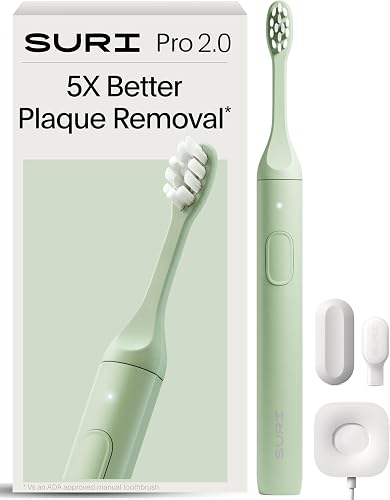
- Pressure sensor signals when you brush too hard
- Over 1 month of battery life per charge
- USB-C recharging
- Plant-based brush head
SURI says the battery lasts over a month per charge, and the pressure sensor signals when you're brushing too hard. Its brush heads are made with cornstarch and its bristles with castor oil.
Pros
- Pressure warning
- Over 1 month of battery life per charge
- USB-C charging
Cons
- No brushing modes stated
- No travel case stated
The SURI Pro Sonic suits buyers who want a pressure warning and a longer stated interval between charges. Its sensor signals when you're brushing too hard, and SURI says it lasts over a month per charge.
It recharges through USB-C. Its brush heads are made with cornstarch and its medium-soft bristles with castor oil, which may appeal if those materials matter in your choice.
The available feature details don't specify brushing modes, a timer or a travel case. Choose it if charging less often and USB-C matter most; skip it if you want clearly defined modes, pacing reminders or a case included.
Best electric toothbrush with pressure sensor for a gentle start: Oral-B iO2
Oral-B iO2: Best for gentle starts
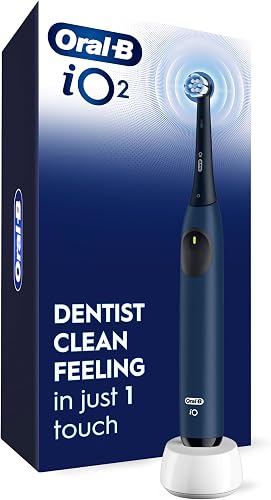
- Automatic pressure sensor slows speed and signals red
- Starts on the super-sensitive setting
- 3 cleaning settings
- 30-second zone alerts
The automatic sensor slows the brush and signals red when you press too hard. It starts on the super-sensitive setting and offers 3 cleaning settings.
Pros
- Automatic pressure response
- Starts on a super-sensitive setting
- 30-second zone alerts
Cons
- No travel case stated
- No battery-life duration stated
The Oral-B iO2 is designed for people who want automatic pressure response and a gentle starting setting. When you press too hard, its sensor slows the brush and signals red.
It has super-sensitive, gentle and daily clean settings, and it starts on super-sensitive. The 2-minute timer alerts you every 30 seconds to change brushing zones.
Choose it if you want the brush to react to excess pressure and prefer a gentle setting to start with. Skip it if you want a travel case, an app or a stated battery-life duration.
Which pressure sensor style fits your brushing routine?
A light ring gives you a visual signal, while a haptic alert is useful when you'd rather feel the reminder. The Oral-B Pro 1000 and iO2 also change the brush's action when pressure is too high.
Choose a visual signal with the Sonicare 6500 or 6700. Pick the Sonicare 5950 or 4100 for a pulse you can feel, or choose the iO5 if you want feedback for too much pressure, too little pressure and just-right pressure.
The automatic response on the Pro 1000 stops pulsations, while the iO2 slows the brush and signals red. If you want to notice pressure through a change in brushing action, these models are the clearest matches.
For travel, compare included cases and charging details with our guide to electric toothbrushes with travel cases. For a broader look at Oral-B options, read our Oral-B iO toothbrush guide.
How do you choose the best electric toothbrush with a pressure sensor?
Choose the feedback you will notice consistently, then compare the features that shape your daily routine. A sensor is most useful when its signal is clear enough for you to respond by easing up.
Start with these practical questions:
- Will you notice the signal? Pick a light if you prefer visual feedback, a pulse if you want to feel a reminder, or a model that changes brush action if you want an automatic response.
- Do you want different intensity levels? The Sonicare 5950, 6500 and 6700 offer 3 intensity levels. That gives you room to adjust the brushing feel without changing the pressure-sensor alert.
- Would timing prompts help? Look for a 2-minute timer and prompts to move through zones if you tend to rush or focus on just one part of your mouth.
- Will you use connected features? The iO5, 6500 and 6700 offer app-related guidance or tracking. If you don't plan to use an app, a simpler model may fit better.
- How often do you want to charge? Compare stated charge intervals where available, and decide whether a travel case or a particular charging connection matters.
- What comes in the set? A case, brush heads, charger and power adapter are not the same thing. Check which parts are included before you buy.
A pressure alert is a reminder to ease off, not a substitute for advice from a dental professional. If you have concerns about your gums or brushing technique, ask your dentist or hygienist.
How should you set up and use a pressure-sensor toothbrush?
Set up the brush by charging it as directed, fitting the brush head securely and choosing a comfortable mode or intensity. Begin with a light grip and let the brush do the work instead of pressing it firmly against each tooth.
Follow the sensor's cue when it appears. Ease pressure, keep the brush moving across the teeth and use the timer prompts to work through each area instead of spending the whole session on one spot.
If you're switching from a manual brush, give yourself time to adjust to the motion and feedback. The Sonicare 4100's EasyStart gradually increases power over its first 14 uses; the iO2 starts on its super-sensitive setting.
At the end of a session, rinse the brush head and handle as appropriate for the model, then store the brush so the head can dry. For more on bathroom storage, see our guide to storing an electric toothbrush in the bathroom.
What mistakes should you avoid with a pressure-sensor toothbrush?
The most common mistake is treating the sensor as permission to press hard until a warning appears. Use a gentle touch from the start, and think of the alert as a backup cue to ease up further.
Another mistake is choosing a sensor style you'll ignore. A light won't help much if you never look at the handle, and an app's tracking features add little if you don't want a phone involved in brushing.
Don't assume every model includes a power adapter, travel case or the same brush heads. The Sonicare 6500 and 6700 include a charging stand but no power adapter, while case and charging details vary across these picks.
Finally, don't rush through the session because a timer is running. Use zone prompts to spread your attention across your mouth, and replace brush heads regularly according to the guidance for your brush.
Which electric toothbrush with a pressure sensor should you choose?
Choose the Sonicare 5950 if you want a haptic warning, adjustable intensity and a travel case. Pick the Oral-B Pro 1000 if you prefer a pressure response that stops pulsations, or the Sonicare 6500 if a visible light and app guidance fit your routine.
For pressure feedback with live brushing tracking, the Oral-B iO5 offers three sensor signals and app support. If you want a simpler haptic reminder with timers, the Sonicare 4100 keeps the feature set focused.
Our top 3 picks at a glance
-
1
-
2
-
3
Frequently asked questions
What does a pressure sensor do on an electric toothbrush?
A pressure sensor alerts you when you're brushing too hard, and some handles also change how the brush runs. The Sonicare 5950 and 4100 use a haptic pulse, while the Oral-B Pro 1000 stops pulsations and the Sonicare 6500 uses a light ring.
Choose a signal you can notice while keeping your attention on brushing.
Which pressure sensor is easiest to notice?
The easiest signal depends on whether you prefer to see or feel the warning. The Sonicare 6500 and 6700 use a light ring, while the Sonicare 5950 and 4100 use a haptic pulse.
The Oral-B Pro 1000 changes brush action by stopping pulsations when you press too hard.
Is an electric toothbrush with a pressure sensor worth it?
A pressure sensor is useful if you tend to press hard or want a reminder to ease up. Pick the feedback style you'll notice: a pulse, light or automatic change in brush action.
It doesn't replace gentle brushing or advice from a dental professional.
Do all electric toothbrush pressure sensors work the same way?
No. Some alert you with a light or pulse, while others also change the brush's action.
The Oral-B Pro 1000 stops pulsations when pressure is too high, and the iO2 slows speed and signals red.
Choose based on the response you want to notice.


